There are three methods to try when receiver hotspot cannot be detected:
- Device->device settings, make sure the Wi-Fi is enabled
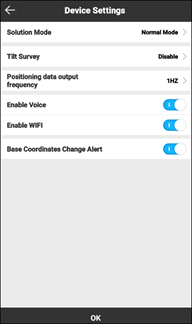
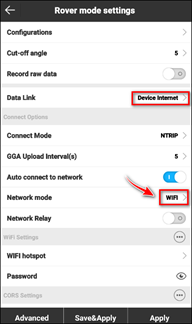
- Check the working mode: If the datalink is “Device Internet”, and “network mode” is “Wi-Fi”, please change the “network mode” to “GPRS” and wait for 1~2 minutes or restart receiver. When using Wi-Fi, receiver will switch to client mode, so you cannot find its hotspot.
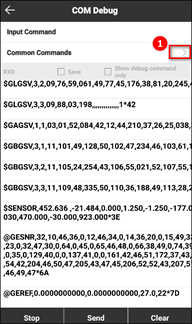
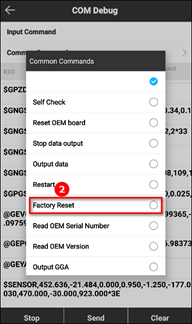
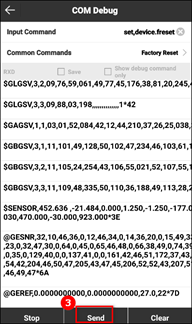
- If both ways not work. You may need to restore factory setting from communication->debug page. Follow the steps as below pictures and then restart receiver.